Migrate from Mantle to Shoffi
Move your Shopify app affiliate program over in two steps: export your data from Mantle, then import it into Shoffi. Your affiliates, referrals, and payouts come with you.
Mantle has announced it’s winding down. Per its notice, services end on August 14, 2026. Mantle has officially recommended Shoffi as a replacement for affiliate programs. Export your data before then.
See Mantle’s affiliate wind-down noticeStep 1 · Export your data from Mantle
Export four CSV files from your Mantle dashboard. For each one, pick the exact option shown below. Mantle emails you a download link for every file. Keep them for Step 2.
Affiliates
- Open Affiliates and start an export.
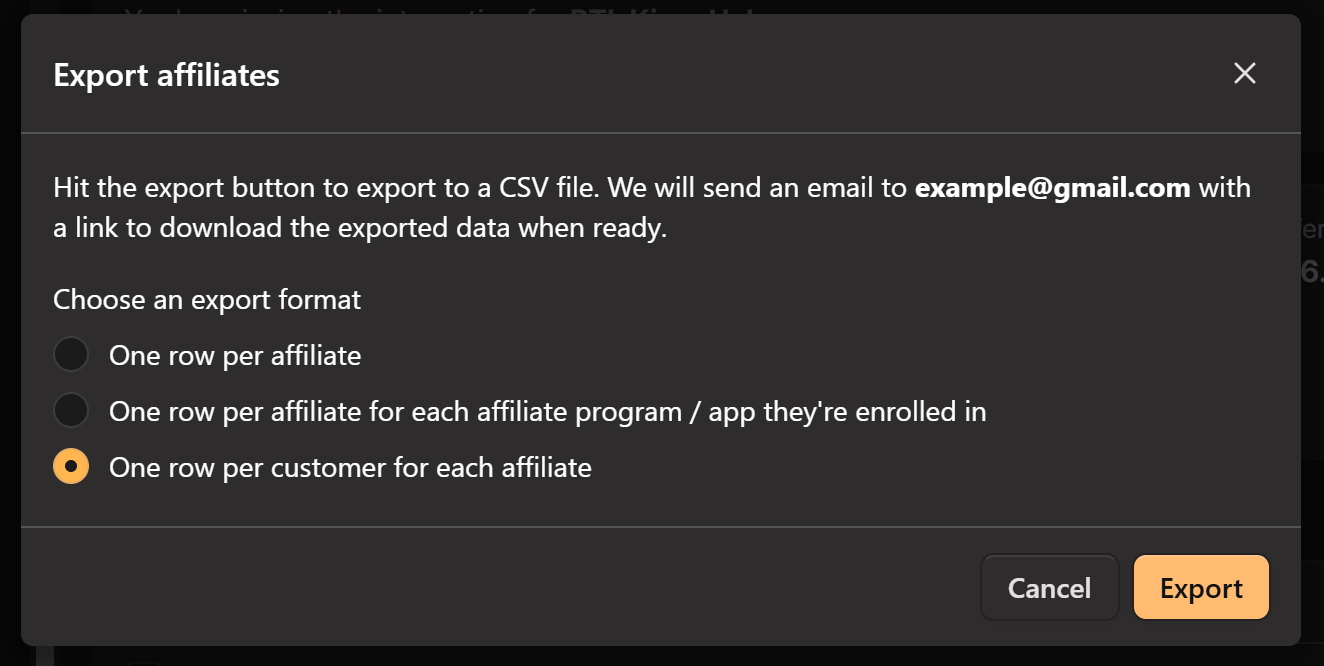
- Under Choose an export format, select “One row per customer for each affiliate” (the 3rd option).
- Hit Export. Mantle emails you a download link.
Affiliates and the customers they referred. Includes customer ID, total commission, and affiliate details. Mantle sends this as affiliates.
Affiliate referrals
- From the same Affiliates page, run a second export.
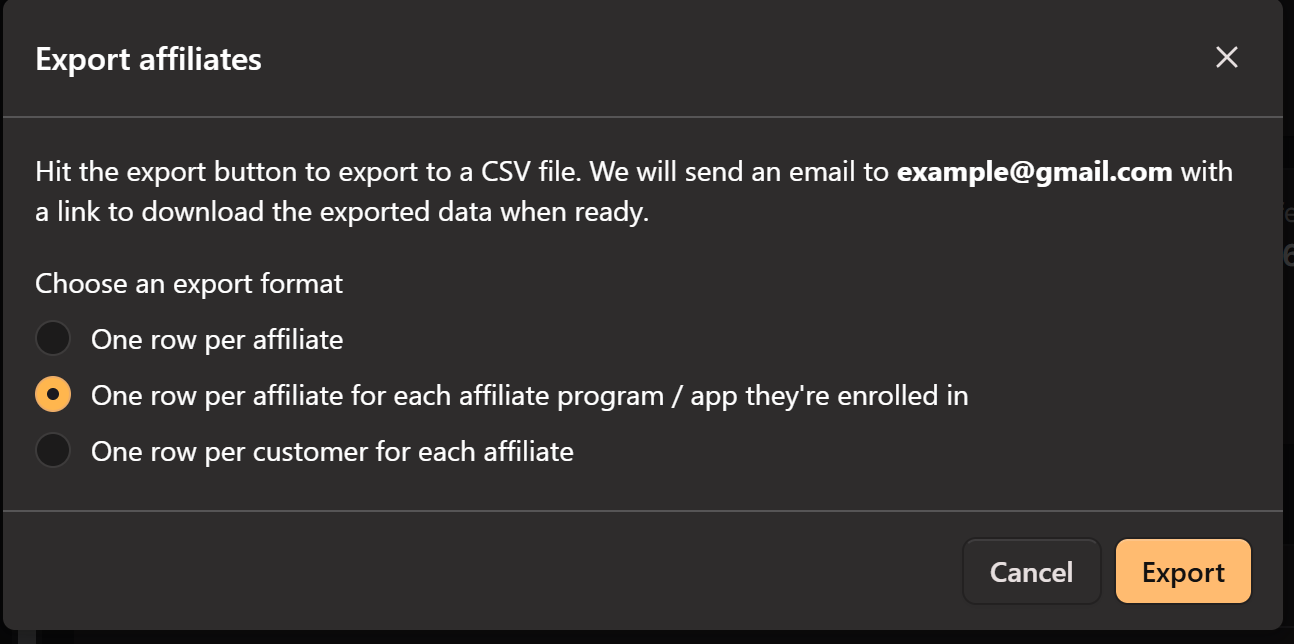
- Under Choose an export format, select “One row per affiliate for each affiliate program / app they’re enrolled in” (the 2nd option).
- Hit Export to receive the download link.
Each affiliate per app they’re in. Includes total commission and referral code. Mantle sends this as affiliate_memberships.
Customers
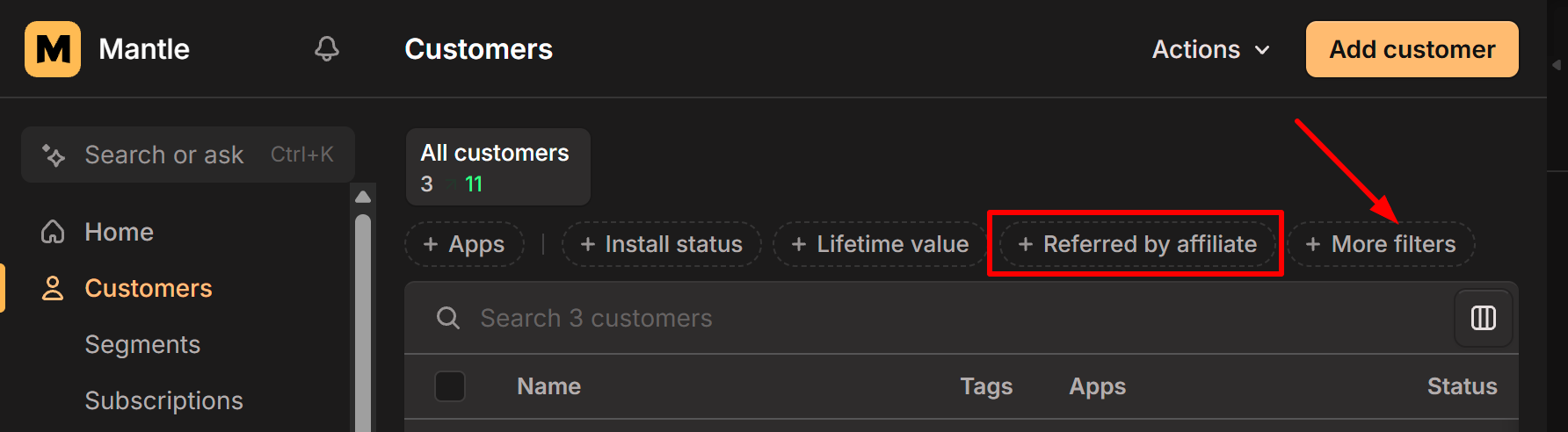
- Open Customers and apply the “Referred by affiliate” filter.
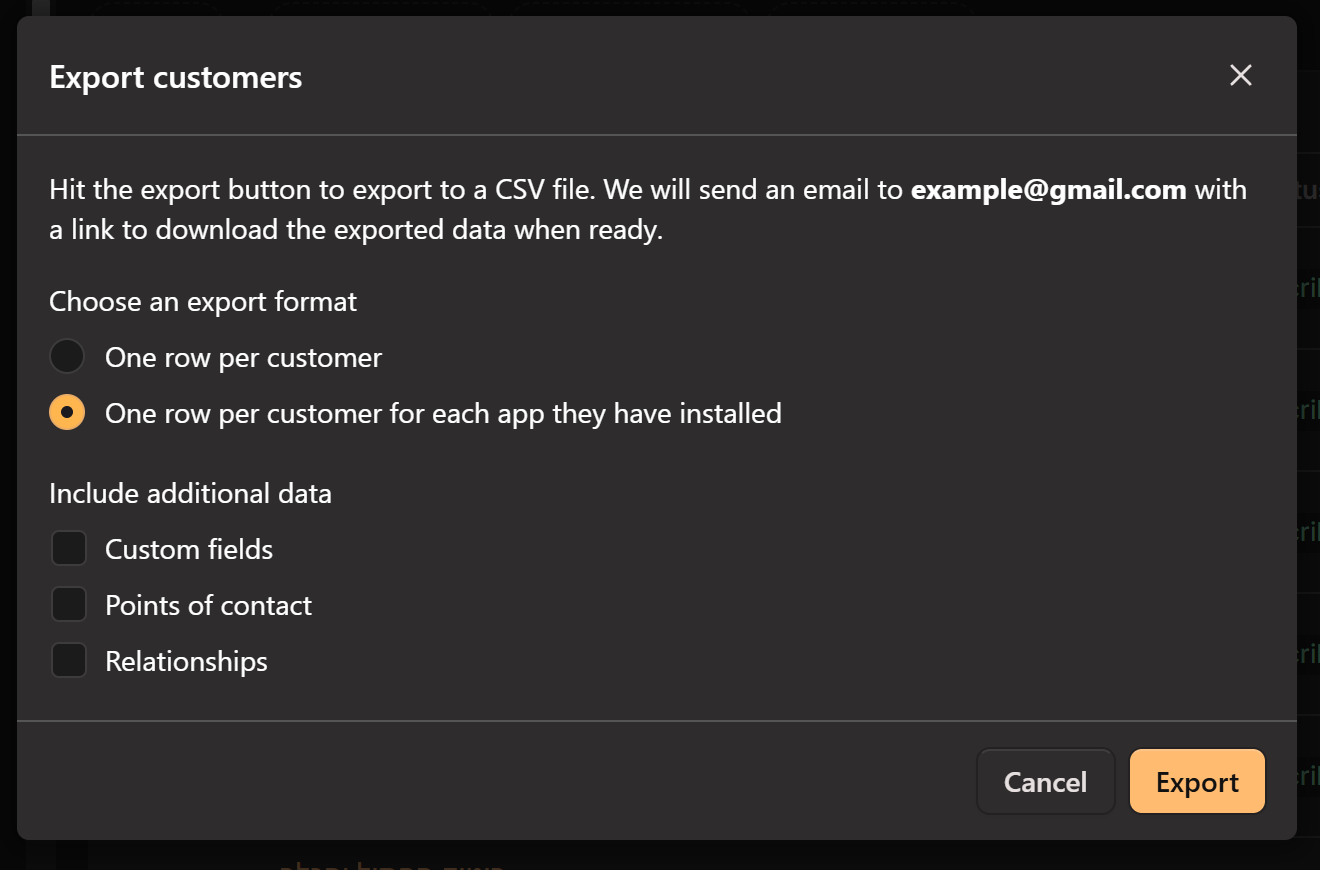
- Start an export and select “One row per customer for each app they have installed” (the 2nd option).
- Hit Export to receive the download link.
Referred customers per installed app. Includes their Shopify domain. Mantle sends this as customers.
Payouts
Optional- Open Affiliates › Payouts and set the filter to All.
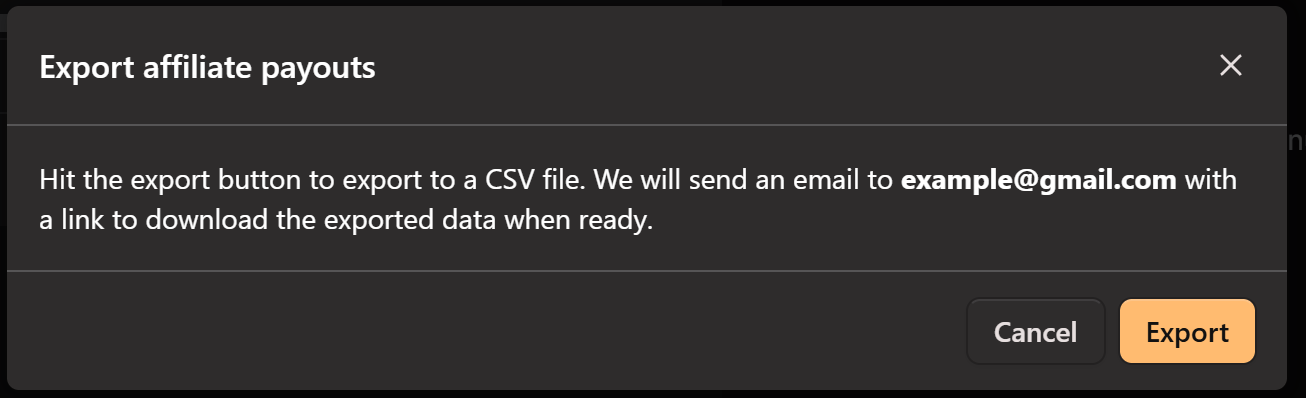
- Start an export and hit Export to receive the download link.
Your full payout history. Optional. Add it only if you want past payouts to carry over.
Step 2 · Import into Shoffi
Migration requirements
- Every migration is per app, not per account. In Settings › Import from Mantle, choose the app first, then upload your files. Running more than one app? Repeat the import for each.
- You need to use the BigQuery integration in Shoffi to migrate.
- Mantle does not export total customer (merchant) spend—only affiliate profit—so merchant spent starts at 0 in Shoffi.
With your files exported, bringing them into Shoffi takes two steps:
Add your app to Shoffi and complete the integration
Create your Shoffi account, add your Shopify app, and connect your data sources. This is the app you’ll import into.
Get started with ShoffiUpload your files in Settings › Import from Mantle
Go to Settings › Import from Mantle, choose the app, then upload your files. Shoffi brings your affiliates, referrals, customers, and payouts into that app.

What happens to your affiliates
Importing adds your affiliates to Shoffi automatically. What they see next depends on whether they already have a Shoffi account (matched by email).
Affiliates who already have a Shoffi account see your app appear in their dashboard. Nothing to set up. They can copy their referral link and keep promoting.
Affiliates who are new to Shoffi just set a password to finish. Then they get a dashboard with your app connected, their referral link ready, and their data in place. Share the link below so they can set their password:
https://platform.shoffi.app/resetpasswordExisting affiliate links keep working
Old Mantle links like https://apps.shopify.com/example-app?mref=fmSwSx9q keep working, so nothing breaks during the move. If affiliates keep using Mantle links, Shoffi cannot count link views. Referral attribution still works.
Still, we recommend asking affiliates to switch to their new affiliate link, which they can copy from their Shoffi dashboard.
How import merges with your data
If you already use Shoffi for this app, the Mantle import does not start from scratch. Shoffi merges your Mantle export with what you already have. Here’s what that means in practice:
Affiliates
- If an affiliate already exists in Shoffi for your app, we keep the same account and connection — we do not create a duplicate.
- We update that affiliate’s Shoffi record with Mantle data, such as:
- Referral code
- Join date
- Total commissions
- Approved status
- The affiliate is then treated as a Mantle-migrated partner (for example, their link may use your App Store listing with
?sref=instead of the standard Shoffi redirect link). - Affiliates not currently registered in Shoffi are added to your app using their existing Mantle referral links, and their historical total commissions are carried over exactly as shown in the Mantle files.
Referrals (merchants/customers)
- For each merchant in your Mantle export, Shoffi either creates a new referral or updates an existing one if that shop is already in your app.
- Referrals that match your Mantle export get their commission data from Mantle and are set up so future Shopify activity is tracked from import onward — we do not try to re-calculate all historical transactions before the migration.
- Referrals that exist in Shoffi but are not in your Mantle export are left unchanged.
Payments
- If an affiliate appears in your Mantle payouts file, Shoffi will:
- Remove all existing payment records for that affiliate on this app
- Reset their paid balance
- Re-import payments from Mantle
- If an affiliate is not in the payouts file, their existing Shoffi payments are not changed.
What stays safe
- Affiliates, referrals, or payments that are not included in the relevant Mantle file are generally not deleted.
- Your organic Shoffi data outside the import is not wiped app-wide — changes are tied to what appears in the Mantle files.
Important things to know before importing
- Import is intended to run once per app — running it again may overwrite Mantle-related data again.
- BigQuery integration is required before import (Mantle migration relies on BigQuery for tracking).
- For affiliates in the payouts file, old Shoffi payment history for that affiliate will be replaced by Mantle payout data. Deleted payment records cannot be recovered.
- Matching referrals may be updated, not duplicated — so commission totals and referral settings can change for shops that appear in both systems.
In short: Mantle import adds and updates your Shoffi data based on your export files. It reuses existing affiliates where possible, updates matching referrals, and replaces payment history only for affiliates included in the payouts file. Anything not in the import files is usually left as-is.
Frequently asked questions
Need a hand?
Tell us you’re coming from Mantle and we’ll help with the export and import.
[email protected]